
X
Posts, mentions, engagement, lists, and DMs — with per-action credit tracking.
X (formerly Twitter) is a native Hops integration. Connect it to let Hops post, monitor mentions, manage lists and DMs, and pull X context into any Space.
Connect X
Open Settings
Go to Settings then Connections.
Add connection
Click Add connection, search for X, and select X (Twitter).
Authorize
Follow the prompts to authorize Hops to access your X account.
Use cases
See Hops scout X posts about a topic from a thread:
Automated replies and direct messages are subject to X's automation rules, including consent and opt-out requirements. Some AI-generated reply functionality may require X approval.
Permissions
When you connect X, Hops requests the following scopes. You can review and revoke them any time from your X account.
| Scope | What it lets Hops do |
|---|---|
tweet.read | Read posts from your timeline and searches. |
tweet.write | Publish posts and replies on your behalf. |
users.read | Read your profile and profiles you interact with. |
dm.read | Read direct messages sent to your account. |
dm.write | Send direct messages on your behalf. |
Hops does not use X Content to train Hops or third-party foundation models. Hops processes and shares X Content only as necessary to provide the service and as described in our Privacy Policy.
X actions & credits
X actions Hops uses draw credits from your workspace's credit pool, alongside thread and automation spend. Credits for reads depend on the number of items returned.
Hops applies credits to X activity based on the applicable X API costs and Hops pricing. Rates may change.
| Action | Credits |
|---|---|
Post (post_create) | 18 |
Post with URL (post_create_with_url) | 240 |
Delete post (post_delete) | 12 |
Hide reply (reply_hide) | 12 |
| Like / Repost / Follow | 18 |
| Unlike / Unrepost / Unfollow | 12 |
Send DM (dm_send) | 18 |
Create list (list_create) | 12 |
| Add/remove list member | 6 |
Post lookup (post_lookup), per post | 6 |
User lookup (including /users/me), per user | 12 |
| Search, user posts, mentions, quote posts, liked posts, per post returned | 6 |
| Owned lists, list posts, per item returned | 6 |
| Reposters, likers, list members, per user returned | 12 |
| Followers / following, per user returned | 12 |
Read DMs (dm_read), per DM event returned | 12 |
| Media upload | 0 |
Usage dashboard
Settings → Usage → Billable services shows what your workspace spent on X, on which actions, over any period. Every external service (X, Slack, …) shares this one tab, with a Service column on every row.
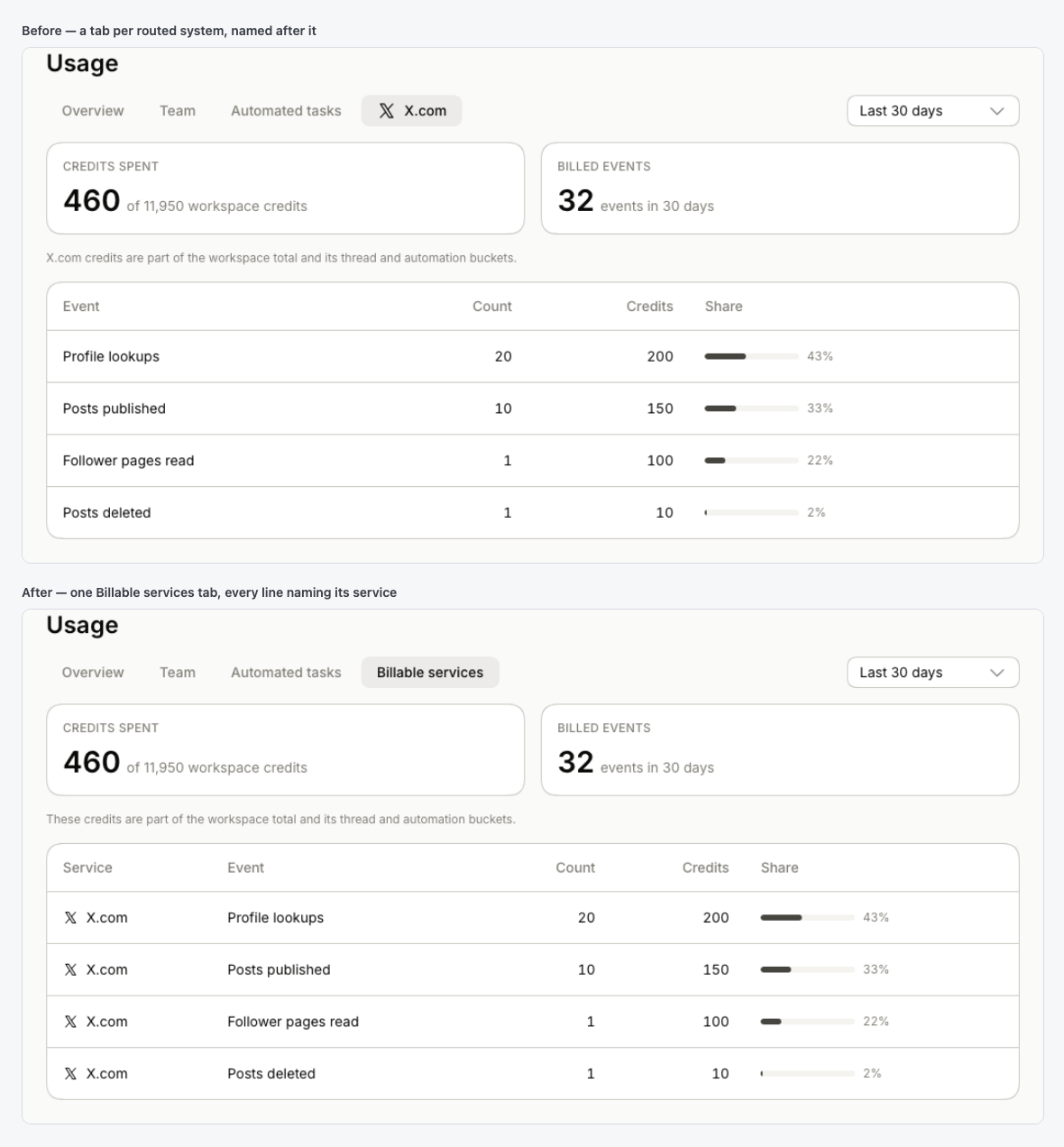
The tab reports Credits spent against your workspace total, Billed events in the period, and a per-kind breakdown (service, event, count, credits, share) ordered by credits. Use the period picker (Last 7 days, Last 30 days, or a custom range) to compare periods or investigate a spike.
The Billable services card on the Overview tab surfaces the same spend, with a single View all services link into the tab.
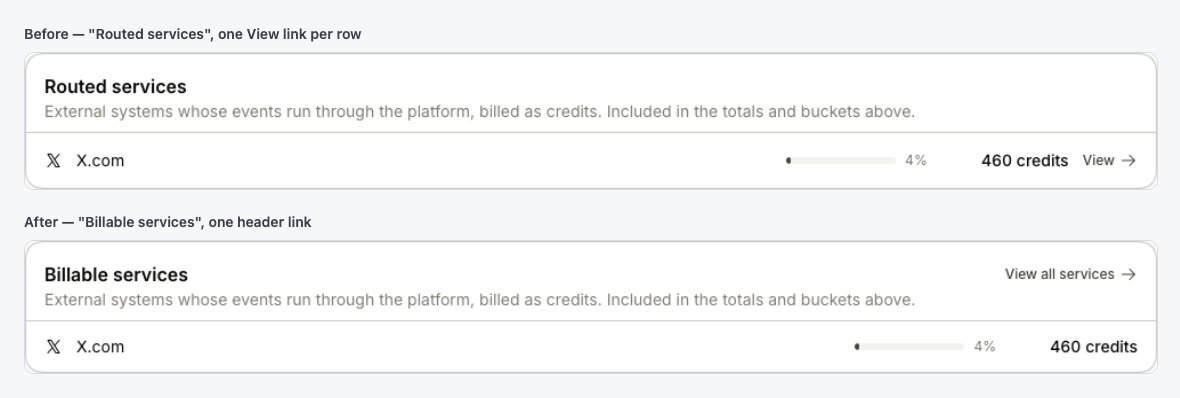
Service credits sit inside your workspace total and its thread/automation buckets — the tab is a slice across them, not an extra bucket.
X and Twitter are trademarks of X Corp. Hops is not affiliated with or endorsed by X Corp.