
Greenhouse
Candidates, jobs, applications, interviews, and hiring pipeline — connected to Hops.
Hops's Greenhouse integration lets Hops read and act on your hiring data — candidates, applications, jobs, interviews, scorecards, and org setup — from any Space, so recruiters and hiring managers can move faster without leaving the thread.
Requirements
- A Greenhouse account with permission to authorize third-party applications for your organization.
- A Hops workspace where you can add and share connections (any member can add a personal connection; workspace admins can share it with others).
Connect Greenhouse
Open Connections in Hops
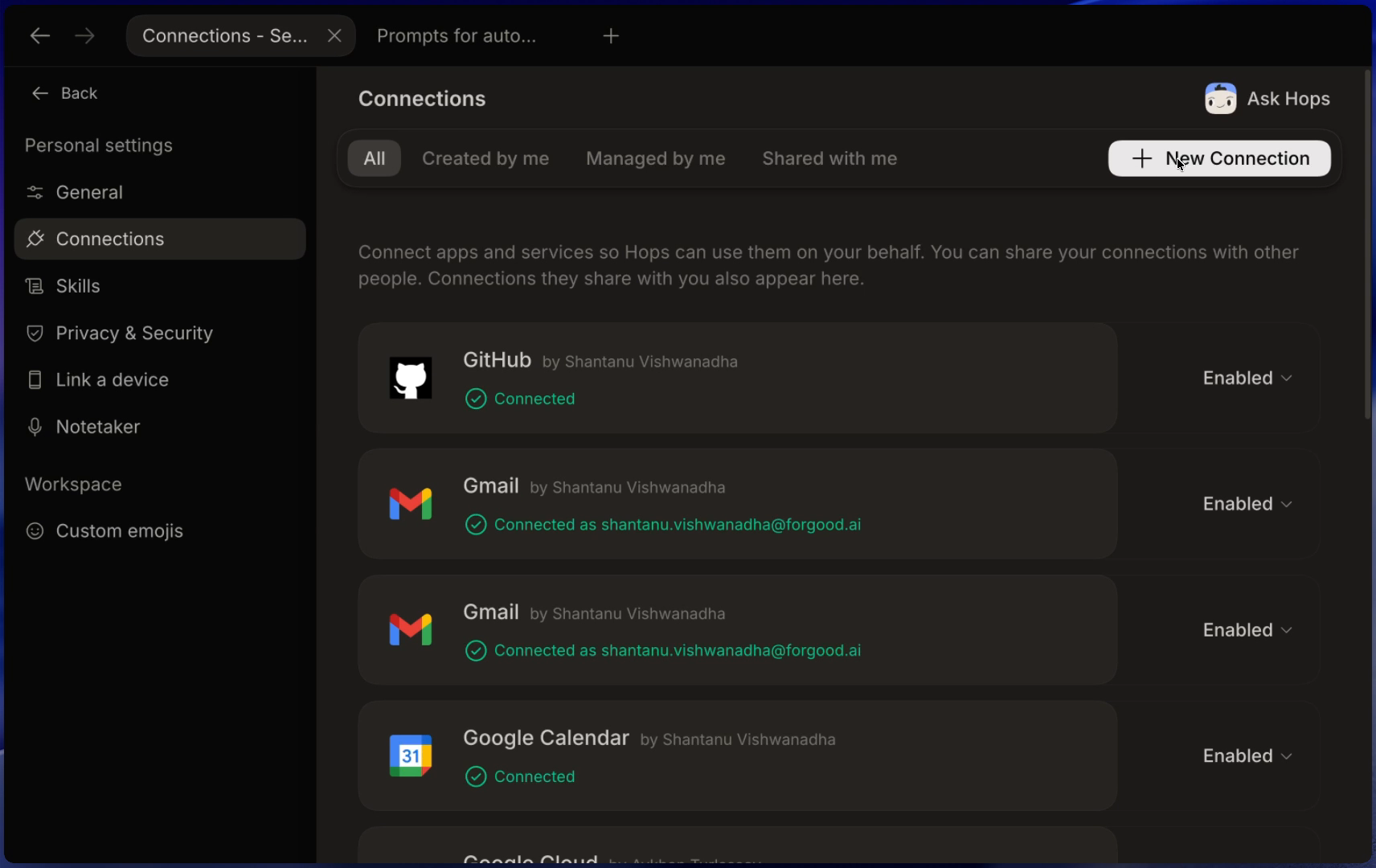
Click the Settings icon at the bottom of the left sidebar, then go to Connections and click + New Connection.
Search for Greenhouse
In the Connect app dialog, type
greenhouseand pick the Greenhouse tile (Candidates, jobs, and hiring pipeline). Hops opens Greenhouse's authorization page in a new tab.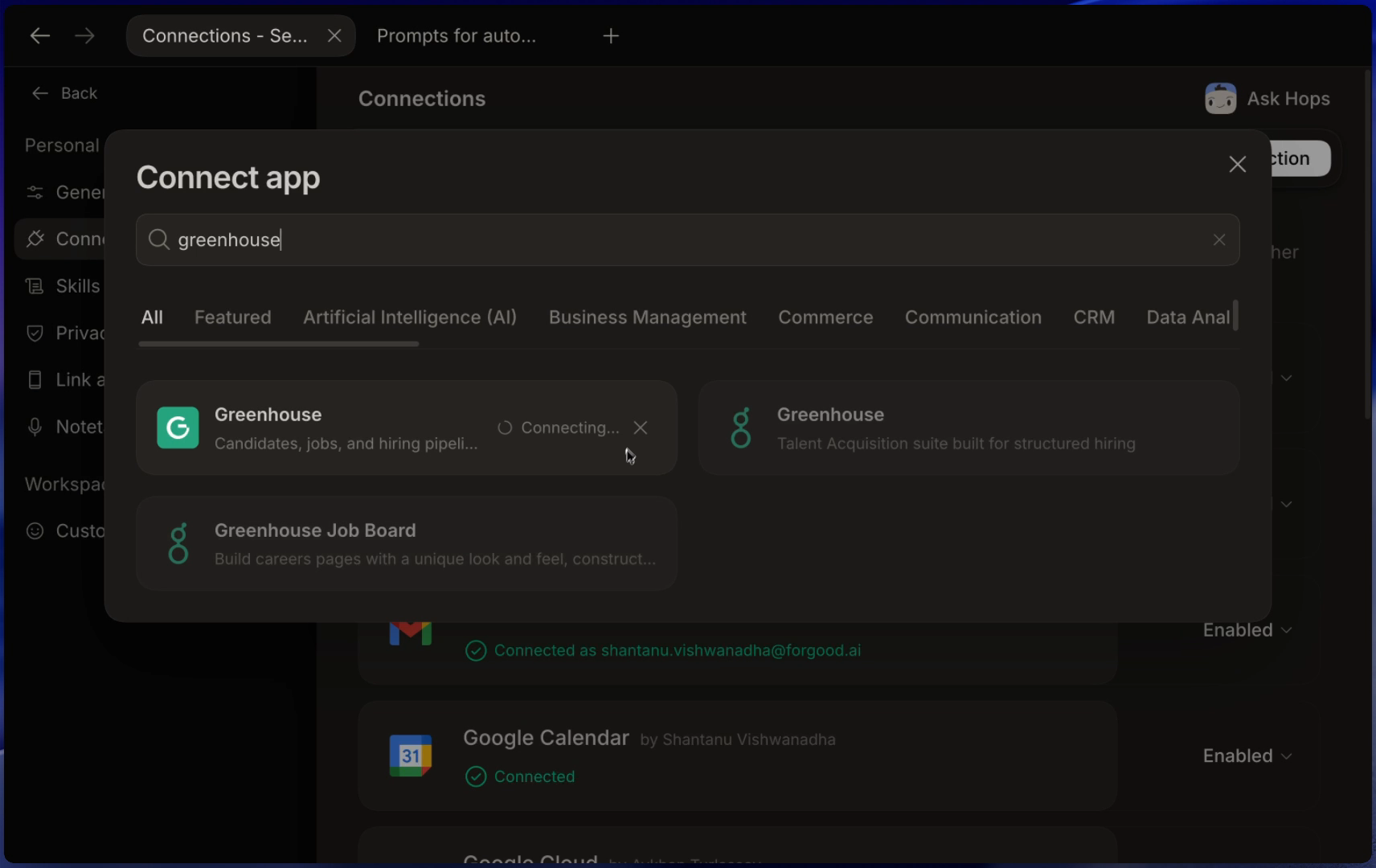
Authorize HOPS AI in Greenhouse
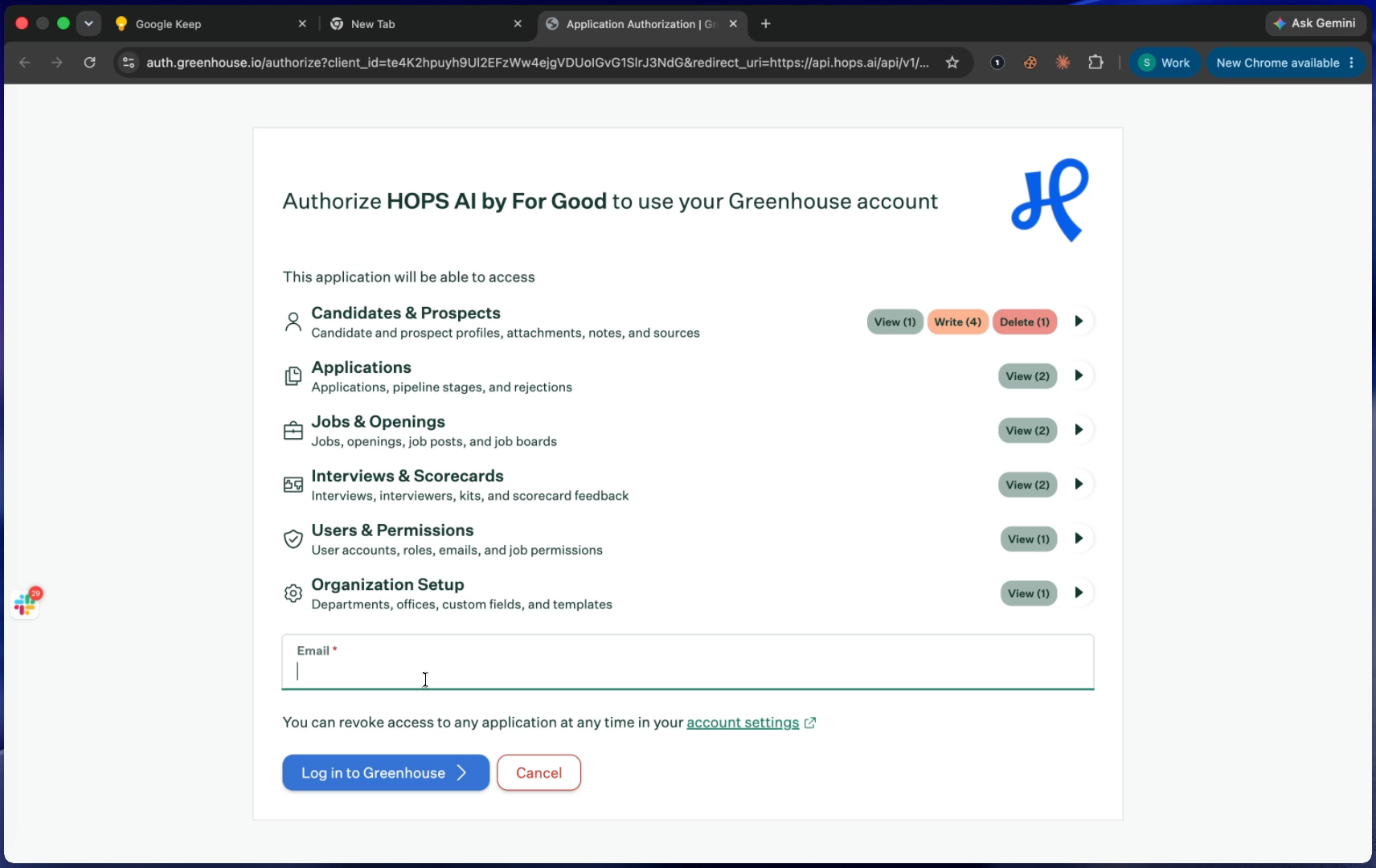
Review the requested access, enter the email of the Greenhouse user you want to sign in as, and click Log in to Greenhouse. Complete Greenhouse's sign-in and MFA if prompted.
Confirm the connection in Hops
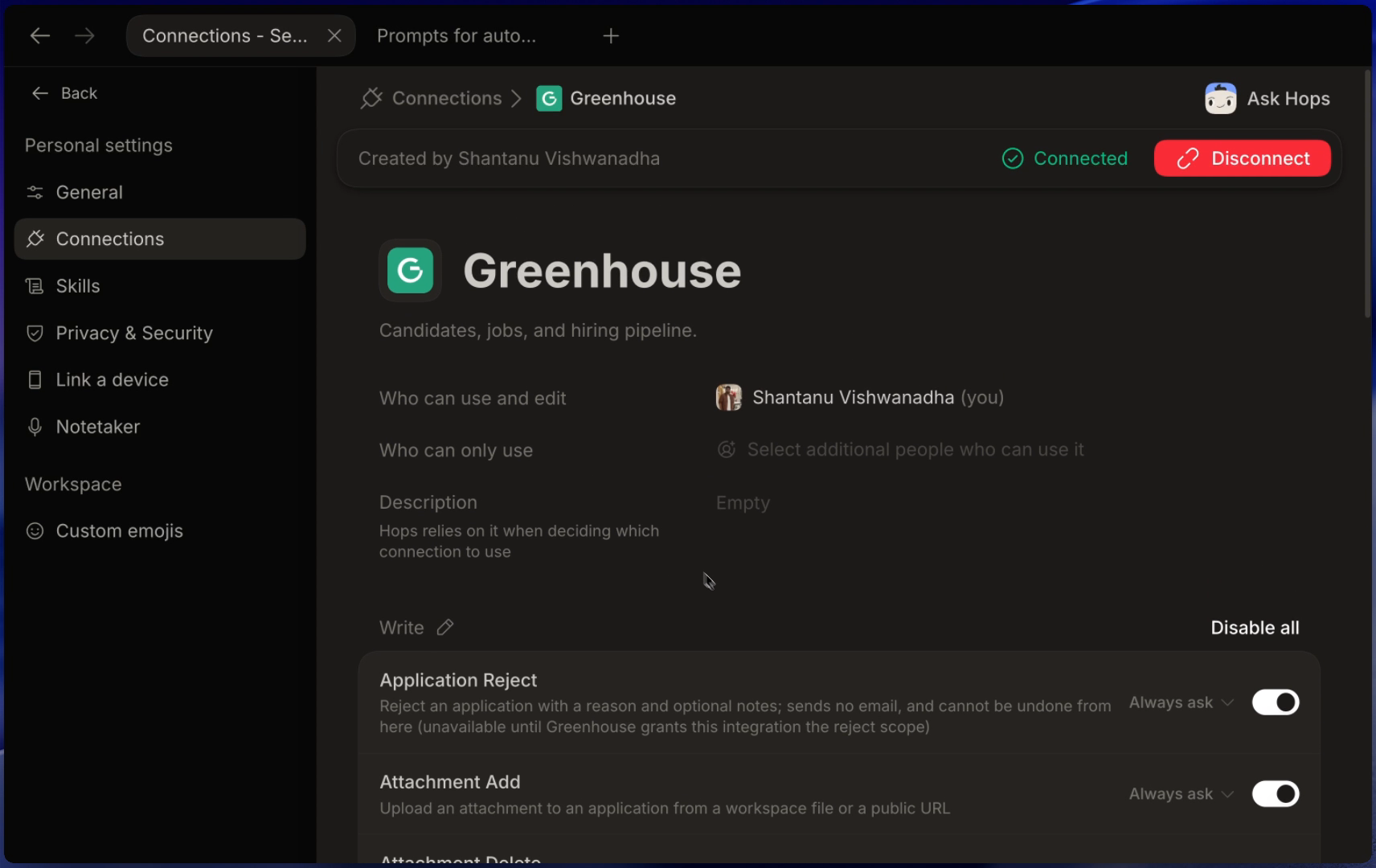
Greenhouse sends you back to Hops. The connection page shows Connected and lists every action Hops can run against Greenhouse. Toggle any action off, or set it to Always ask so Hops pauses for approval before running it.
Permissions Hops requests
| Scope group | What Hops can do |
|---|---|
| Candidates & Prospects | View, create, update, and delete candidate and prospect profiles, attachments, notes, and sources. |
| Applications | View applications, pipeline stages, and rejections. |
| Jobs & Openings | View jobs, openings, job posts, and job boards. |
| Interviews & Scorecards | View interviews, interviewers, scorecards, and interview kits. |
| Users & Permissions | View user accounts, roles, emails, and job permissions. |
| Organization Setup | View departments, offices, custom fields, and templates. |
You can revoke access at any time from your Greenhouse account settings or by clicking Disconnect on the connection page in Hops.
Hops does not use Greenhouse data to train Hops or third-party foundation models. Hops processes Greenhouse data only as necessary to provide the service and as described in our Privacy Policy.
Use cases
Sharing the connection
By default a Greenhouse connection is personal. To let other teammates or a group use it:
- Open Settings → Connections → Greenhouse.
- Under Who can only use, add teammates or a group.
- Add a short Description so Hops picks the right connection when several exist.
Disconnect
- From Hops: open Settings → Connections → Greenhouse and click Disconnect.
- From Greenhouse: open your Greenhouse account settings, find HOPS AI in the list of authorized applications, and revoke it.
Support
- Help centre: Hops docs and the Troubleshooting guide.
- Email: [email protected]
If you hit an authorization or permissions error, include the timestamp and the Greenhouse user you signed in as — that's enough for us to look up the OAuth callback and reply quickly.
Greenhouse is a trademark of Greenhouse Software, Inc. Hops is not affiliated with or endorsed by Greenhouse Software, Inc.