
Build a skill
Package instructions, tone, and connections into a reusable, shareable skill for Hops.
A skill turns a repeatable workflow into something Hops can run the same way, every time. Build a skill once, share it with your team, and everyone's Hops runs your playbook.
What a skill contains
A skill is a folder (or single file) of reusable instructions and supporting files:
release-notes/
├── SKILL.md        # name, description, and instructions
└── template.md # optional supporting files---
name: release-notes
description: Draft release notes from merged work. Use when asked for release notes or a changelog.
---
1. Pull the merged items for the period.
2. Group them into Features, Fixes, and Improvements.
3. Write one line per item and link the source.
4. Ask for approval before posting anywhere.- Name — short and specific.
- Description — what it does and when Hops should use it.
- Instructions — what to pull, how to structure the answer, and when to ask for approval.
- Files — templates or reference docs the skill needs.
Create a skill
Go to Settings, then Skills, and click + New Skill.
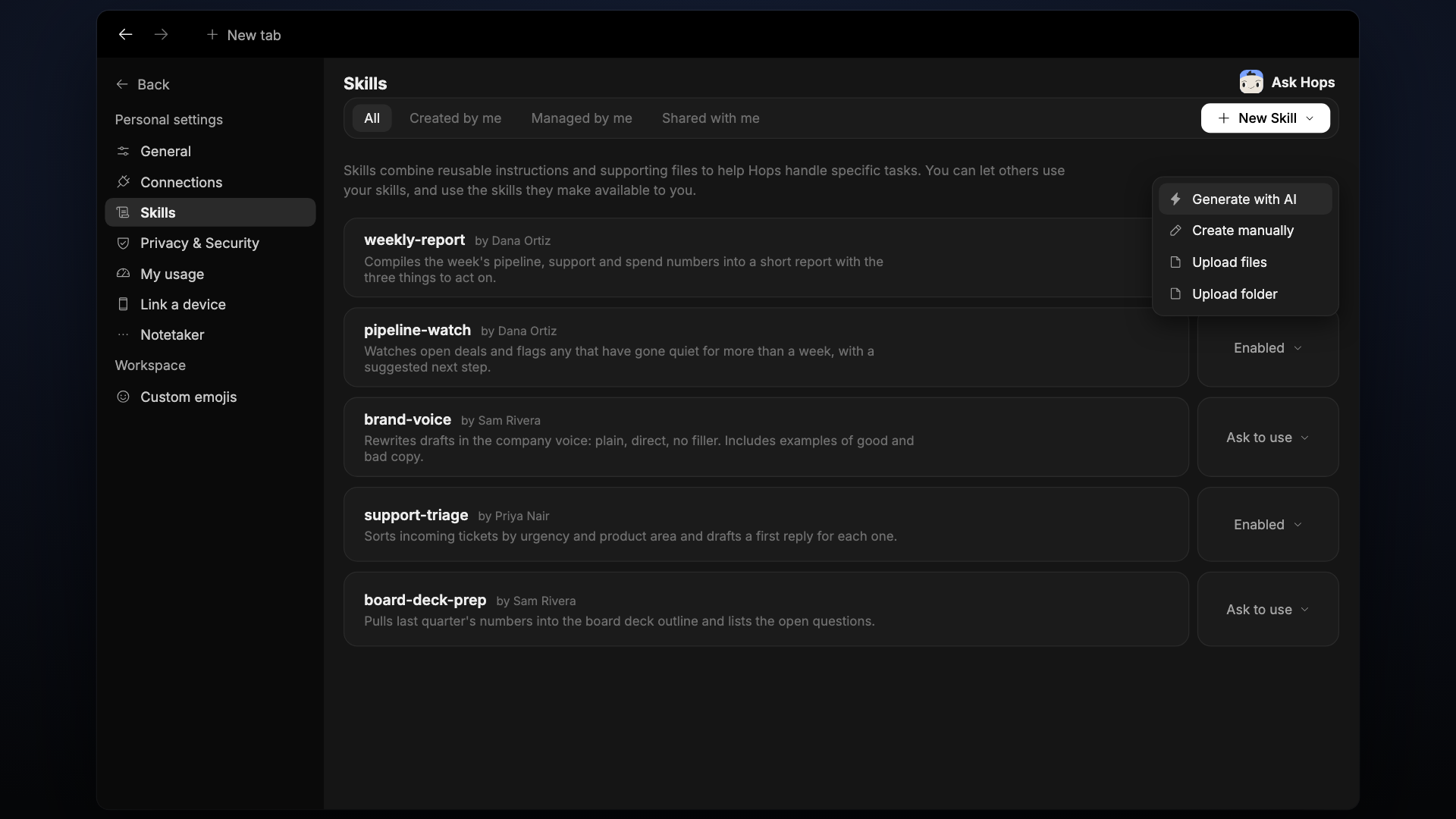
- Generate with AI — describe the skill and let Hops draft it.
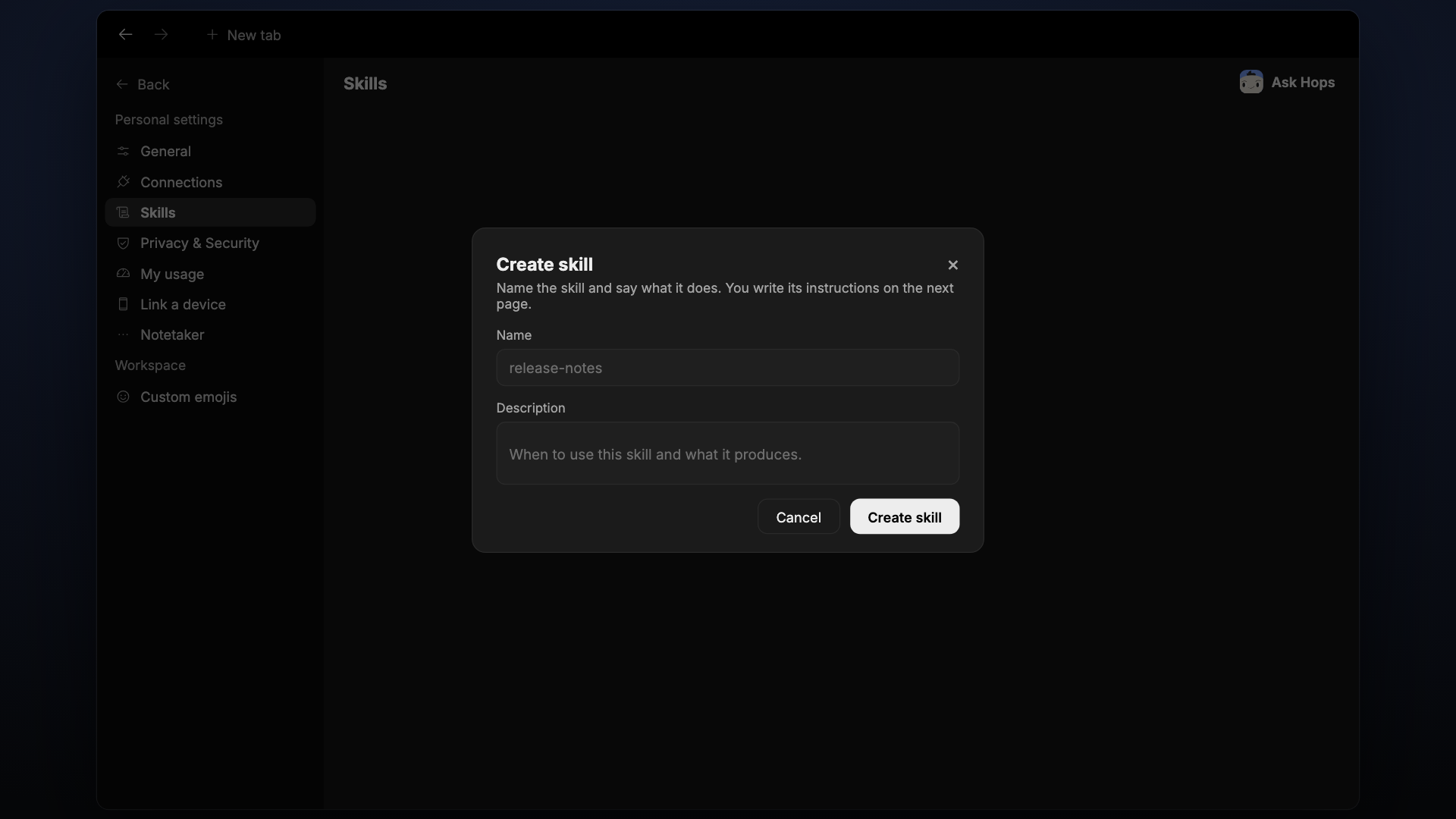
- Create manually — name the skill, describe it, then write its instructions on the next page.
- Upload files — upload a single-file skill.
- Upload folder — upload a skill with several files.
Create manually
Enter a Name (for example release-notes) and a Description, then click Create skill. You write the instructions on the next page.
Test the skill on a real request and iterate until Hops gets it right consistently.
Share a skill
Skills can be shared. Others can use the skills you make available, and you can use theirs.
- Filter the Skills page with All, Created by me, Managed by me, and Shared with me.
- Each skill has a dropdown that sets it to Enabled or Ask to use.
Tips for good skills
Be specific. "Summarize the deal" is vague. "Pull the latest CRM record and the last two email threads, then produce a 1-paragraph prep note plus 3 focus bullets" is a skill.
Cite sources. Ask the skill to link back to the doc, thread, or record it drew from. It makes the response trustworthy.
Ask for approval on outbound actions. Any skill that sends email, updates a record, or posts externally should pause for approval by default.