
Usage
See where your workspace spends credits.
Usage lives under Usage and billing. For your own usage, see My usage.
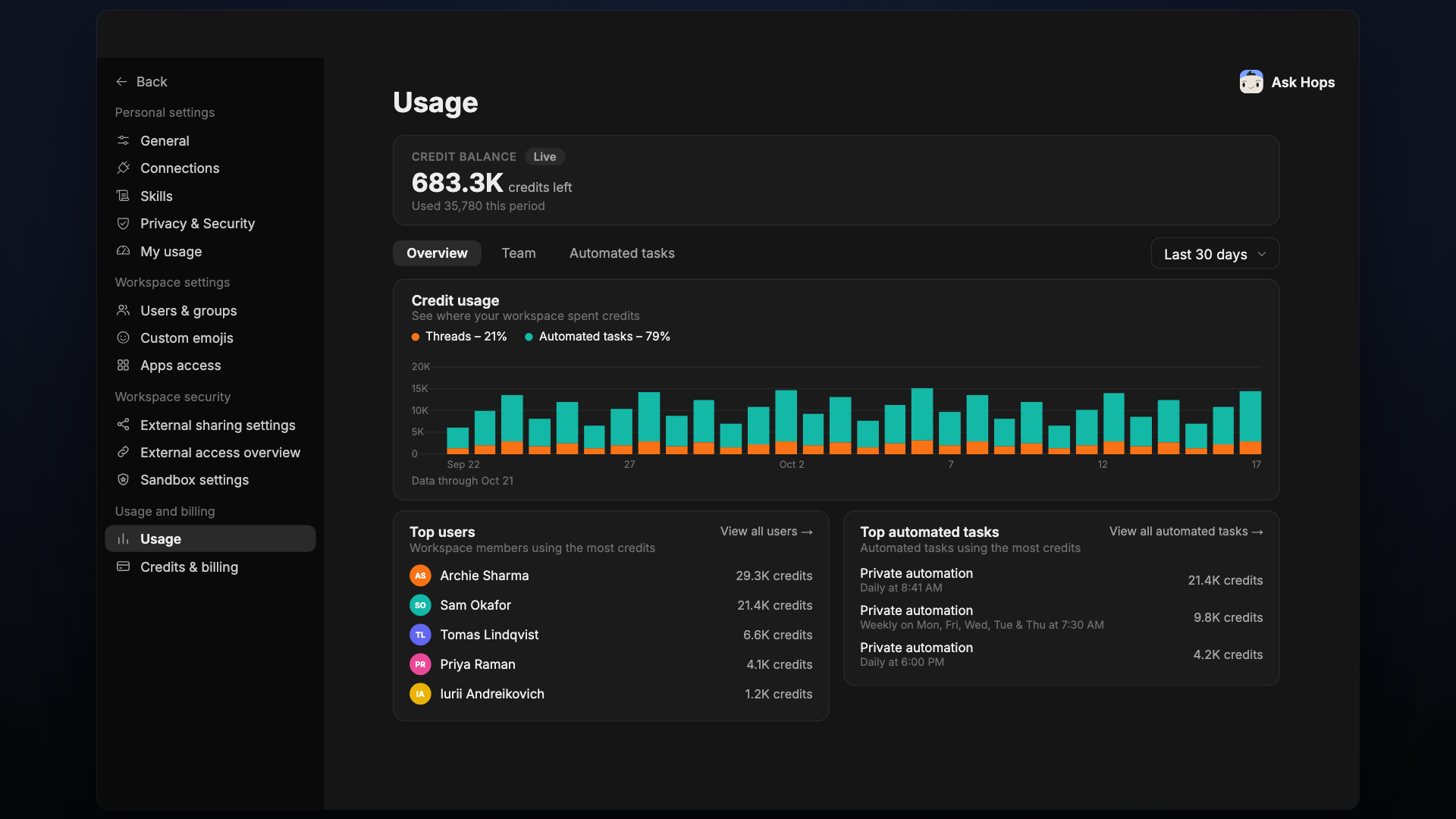
Credit balance
Shows a Live indicator, the credits left, and how many credits were used this period.
Overview
Use the Overview, Team and Automated tasks tabs, and the date range dropdown (for example Last 30 days).
- Credit usage: a stacked bar chart of where your workspace spent credits, split into Threads and Automated tasks.
- Top users: workspace members using the most credits. Select View all users for the full list.
- Top automated tasks: automated tasks using the most credits. Select View all automated tasks for the full list.